
Premium Ticketing Features To Create Events In The COVID Era
As we enter the second half of 2020, event regulations and gatherings seem to have caught on along with the phase-wise re-opening. Needless to say, many event organizers and venue…

As an event presenter on Yapsody, you have the option to collect your ticket revenue through multiple offline and online payment options. Following these quick steps will help you add your preferred options on your Yapsody dashboard.
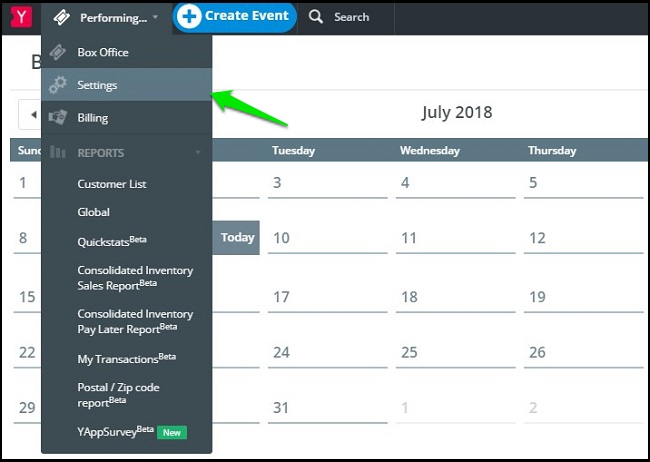
Our new presenters can start by Signing-Up and creating an event whereas existing presenters can log in to our dashboard. On the top left of your dashboard, click on your Account name which will give a drop-down of options. Select Settings.
Click on the Accept Payments tab which will display a list of options that you can configure and add to your Box Office. Click on the ‘Add Payment Method’ button to add your preferred payment options.

You can save either “Credit Cards”, “PayPal”, or both. If you select both, your customers will have options to pay either via credit card or PayPal while booking your event tickets.






