

Online Ticket Store
Your event deserves your branding and have every element of your enterprise. Our mobile and tablet-friendly online ticket store adjusts to your event and provides you the option to customize it in your colors and style and with your personalized logo. Your customers will immediately identify the ticket store with you – our own branding is very subtle and in the background. What’s more? Using our widget feature, integrate your ticket store with your website so that the ticket booking experience is seamless for your ticket purchasers. On top of that, you get your own subdomain, giving your visitors the impression that they’re on a page from your website.Can it get better than this? Try it out now. Get a Free Trial for First 50 Tickets Now!
Benefits of setting up the Online Ticket Store
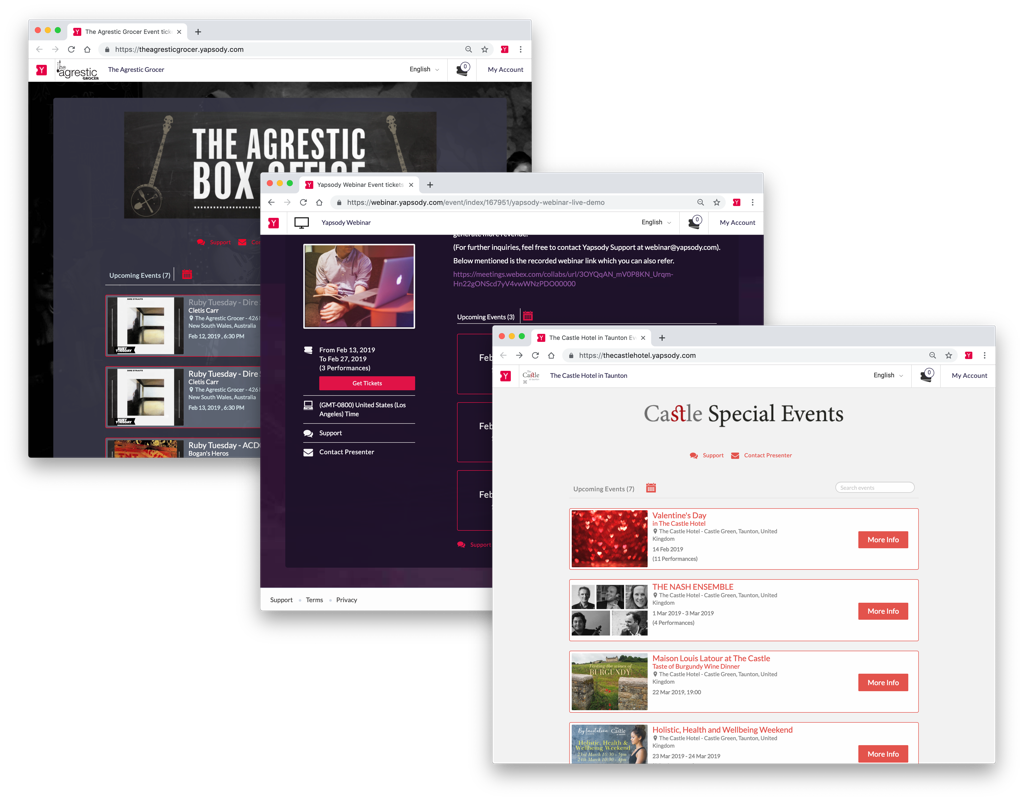
Store Customization
- Customize the look and feel of your Online Ticket Store with real-time preview before going live
- You can design and customize your ‘Online Ticket Store’ by selecting a color palette, customizing your background, adding your own logos, displaying your social media profiles, and adding your own website.
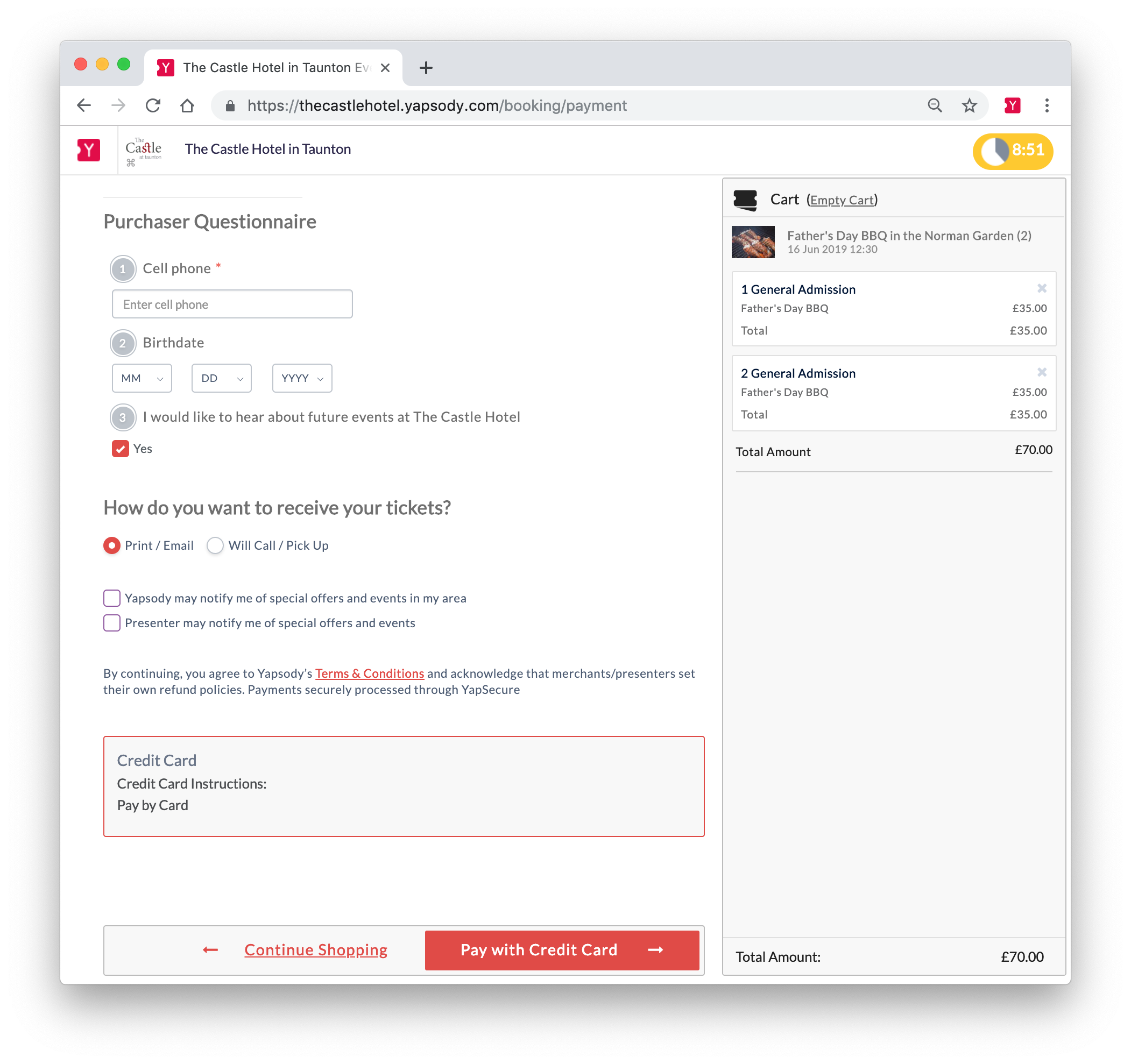
Shopping Cart
- Each Yapsody Online Ticket Store has its own shopping cart so your customers can purchase tickets to multiple events in a single transactions
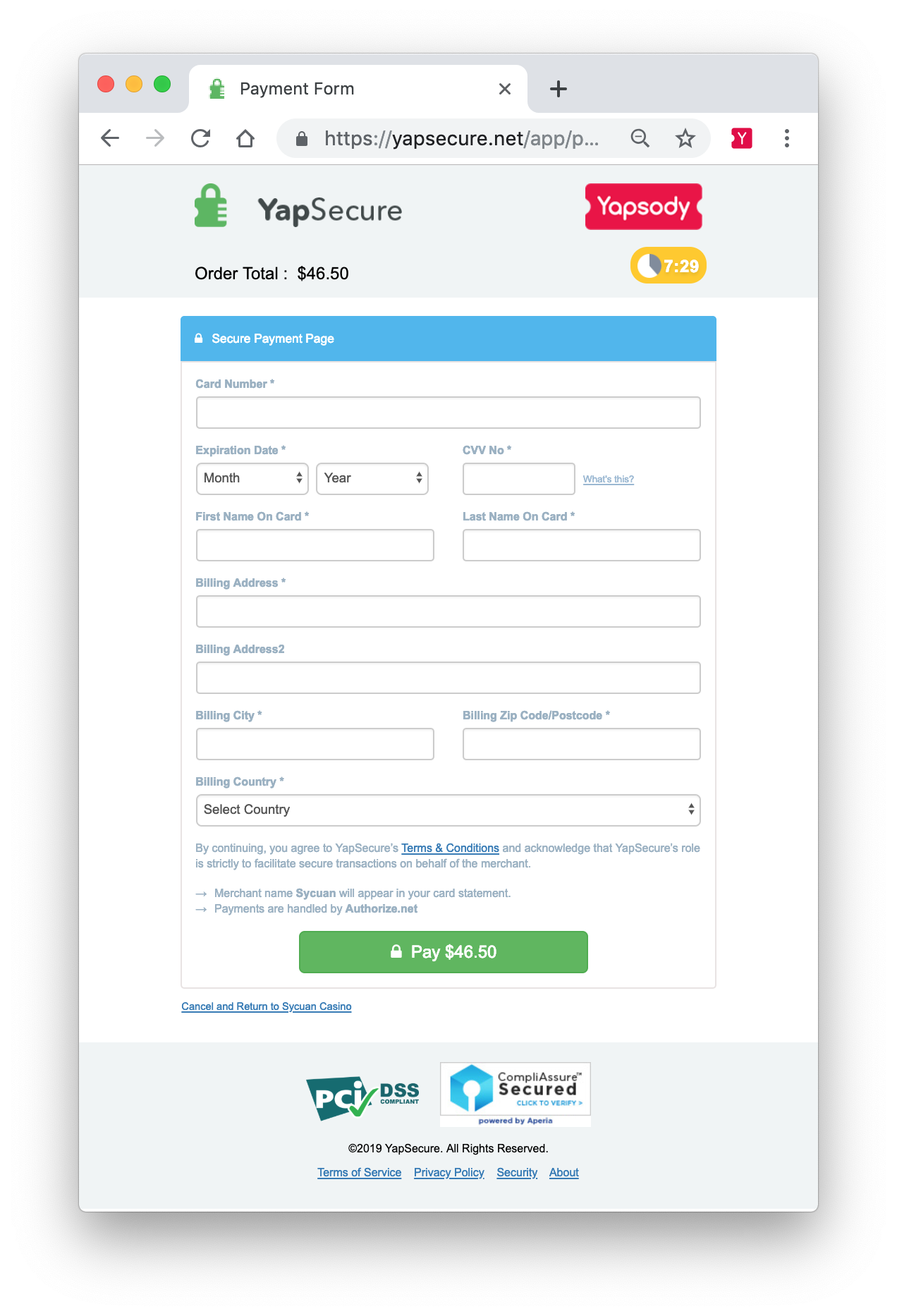
Secure Payment
- All online electronic payment transactions are processed through YapSecure — our tightly-secured proprietary payment management system that prohibits confidential payment data from EVER touching the Yapsody ticketing application
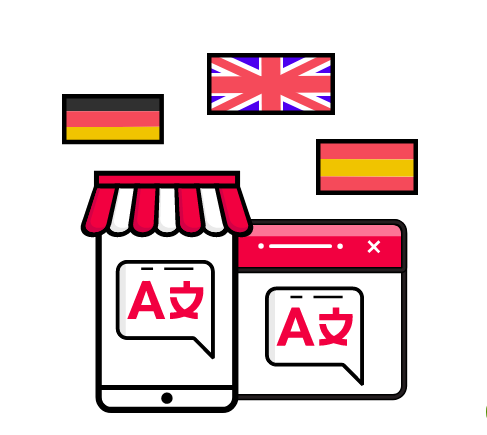
Multi-language Support
- We’ve vowed to break any barrier that may come in the way between you and your audience.
- With Yapsody, you can customize your online ticket store in your preferred language and target the right customers resulting in more ticket sales, making your event successful. Our online event ticketing system supports 15 prominent languages from across the globe.
Frequently Asked Questions
- Click on “Store Customization” under your Account Settings.
- Select from a wide range of palettes and colors for your Online Ticket Store background, body background, box background, title & button, and body text.
- You can upload your Business Logo as well and add an image to your background of your Online Ticket Store.
- You can link your Facebook, Twitter, Instagram, and your website so that your customers can also stay updated with your social feed.
- Before finalizing on a preferred combination, view it in Preview mode.
- Online Ticket Store: Your online store is a subdomain where all your events are listed. It is visited by audiences to check new & upcoming events being hosted at your venue and buy e-tickets. To start selling event tickets here, you need to set up a payment gateway on your Yapsody dashboard.
- Virtual Box-Office: You can directly sell tickets from your Virtual Box Office at the venue by setting up payment options such as Cash, Complimentary, Combined Payment Method, etc. It makes it easier for your audience to directly walk up to the venue at your Box office to buy tickets.
- After entering all your details in the event details page and adding the performances, go to the ‘Customize’ option in the menu and click on the “WebPage” tab
- Enter the YouTube URL of your video in the space given under the ‘Video Gallery’
- The videos added here will be visible in the ‘Event Detail Page’ of your Online Ticket Store.
- Click on Settings under the drop-down of your Account tab.
- Select the ‘FAQ Management’ tab and click on the ‘Add FAQ’ button.
- There is a list of pre-set questions from which you can select and then add in your specific answers.
- If you want to add your own questions apart from the preset ones, click on the ‘Custom’ option, where you can define your own questions and answers.
- To enable our Donations feature, select the ‘Accept Donations’ tab under “Settings” and enter your Merchant Email and other details.
- To accept donations on your ‘ Online Ticket Store ‘ and the ‘Box Office’ enable both the options.
- If you need the donations button only on the Online Ticket Store and not on the Box-Office, you can also enable anyone and disable the other.
- The “Accept Donations” button will now be displayed at the top center of your page for ease of access while attendees buy tickets.
Why Event Presenters Love Our Online Ticket Store Customization

Rock Ford Plantation was able to create and customize their own event page that made it easier for their guests to reserve their tickets anytime they wanted. Thus eliminating the process of handling reservations over the phone and mailing RSVP card with payments. They were also able to fulfill the high demand for online tickets previously requested by their event attendees. Learn more
Nancy Bradley,
Rock Ford Foundation


Our mobile and tablet-friendly Online Ticket Store proved to be a massive upgrade for Wotton as they were able to migrate to an online platform for selling their tickets. It also gave them the liberty to customize their ticketing page for maintaining their brand persona. They were able to offset their cost of printing their tickets by giving their attendees e-tickets as soon they made the transaction on their store. Learn more
Phil Stollery,
Wotton-under-Edge & District Round Table 974


After signing up on Yapsody, Noah Webster, like every other presenter, gets a space of their own on the platform. The online ticket store allowed the presenter to list their events in one place, also making it easier for ticket purchasers to visit the store to check all upcoming events. Learn more
Amy Boulton
Development Manager, Noah Webster House

Upon signing up with Yapsody, the presenter was given access to a virtual box office of their own. In this space, they could upload all of their upcoming shows and interested attendees could view their list of upcoming shows at once, and buy tickets to the events of their choice. They were able to customize the store the way they pleased – with their brand colors, logo and even their own subdomain, making the page look like a part of their website. Hours of waiting in line became a thing of the past. Learn more
Craig Cudmore,
Parent volunteer with the Canterbury High School Music Parents Support Group

After signing up with Yapsody, Anima Garden got access to an online ticket store of their own – a space where they could sell entry tickets for all their days of operation. The online ticket store is fully customizable, allowing the team to add brand elements to the store, making it look like a part of their website. Learn more
Emanuel Rudas,
Anima Garden


As South Bay organizes 3-4 events each month, creating the event on the online ticket store became a very simple process. He simply had to duplicate a previous event and edit the information based on the new event. Learn more
Randy Berler,
Founder of South Bay Film Society

There are a lot of great reasons to use Yapsody.
Foreign Language
Interact and connect effectively with your attendee by presenting your online ticket store and fundraising event in local languages.
Calendar list view for events
You can view the list of events in a calendar view if you have more than 3 performances for a particular event.
Shopping Cart
Yapsody's one-stop shopping cart allows your customers to add multiple events to their carts until they are ready to Check Out so customers can purchase multiple items in a single transaction.
Account history
Your customers can view the entire history of all their past transactions that they have made.
Presenter Logo
Upload your company logo in the header to brand your Online Ticket Store. If you do not have a logo, you also have the option to customize your header with text.
Customized Online Ticket Store URL
Every presenter can have their own customized URL for their Online ticket store for e.g. yourvenuename.yapsody.com.
Customized FAQ's
Create your customized FAQ's section to clear your customers doubts regarding the event.
Calendar view on BoxOffice
View all your events for a particular month at one glance with the help of the calendar view at the home of your box-office.
Assign user permissions
Presenter can assign unique permissions for each users to scan apps or view reports.
Social media
Broadcast your events on various social media platforms and increase your event visibility through our social media integration tool.
MailChimp
Quickly import your customer list into your Mailchimp contact list with our MailChimp integration tool.
Attract your customers and make your fair and festival successful by adding our different type of discounts such as early purchase discounts, Group discounts and promo codes.
You can add surcharges and taxes to your ticket face value to cover the costs involved in running your event and also to imply to the legal government policies.
You can add surcharges and taxes to your ticket face value to cover the costs involved in running your event and also to imply to the legal government policies.
Entry to your event with no strings attached. Let your attendees choose where they would like to be seated or standing at your event. The General Admission ticket gives your attendee the ultimate flexibility to move around within the venue of the event. The best seats in the house go on a first come first serve basis. No reservations.
Sell tickets from your virtual or premise box office system and let your attendees can purchase tickets online from the same inventory. This allows you to combine all your sales channels and prevent any kind of double booking whatsoever.
Sponsored ads
Yapsody understand the importance of sponsors for you, and because of that, we offer presenters a designated space on each e-Ticket for displaying sponsors ads of their choice.
Upcoming events
Yapsody gives you an opportunity to advertise upcoming events on your own Yapsody e-Tickets.
Logo
Display the company logo on the header of the e-Ticket to increase your branding.
Customized TC
Display specific event related important messages and conditions on your e-Ticket.
Yapsody YapScan
Use your android phones and iOS devices to scan your customers event tickets.
Yapsody YapStats
Yapsody YapStats App provides you a flexible and comfortable way to track your ticket sales report, daily sales report, revenue you earned and many more.
Currency
Providing the ability to sell event tickets in local currencies is one of the many ways we strive to support event presenters around the globe. Click here to check the list of currencies we are support.
Language
Yapsody has been localizing online ticket store for international markets by allowing them to show their online ticket store in their local language
With Yapsody's donation feature, allow your customers to donate money to your cause directly through your online ticket store and through your box-office
Yapsody provides its presenters to give multiple ticket delivery options like, Email, Print and Will Call / Pick Up to their customers and also the flexibility to choose from multiple payment methods
Multiple ticket types? Take control of your tickets with our inventory management feature. Manage your tickets and reserve tickets for your special guests. Sell tickets online and keep a close tab on your inventory with our robust inventory management system.
Manage and sell tickets with our Reserved Seating Wizard. Create your own seating map and customize it!
Ready to start selling your event tickets on your personalized online ticket store with Yapsody? Create event How it works




