
Premium Ticketing Features To Create Events In The COVID Era
As we enter the second half of 2020, event regulations and gatherings seem to have caught on along with the phase-wise re-opening. Needless to say, many event organizers and venue…

When your event ticket sales rocket up, it’s time to take advantage and apply surcharges on events you think will sell out soon, regardless of the ticket price. This feature gives you total control over maximizing your ticketing revenue.
With our taxable and nontaxable Surcharge Options, you can:
– Apply surcharges on a performance-by-performance basis
– Apply surcharges on a sale location basis (Box Office or Online Store)
– Apply surcharges on a per-ticket basis or on a per-transaction basis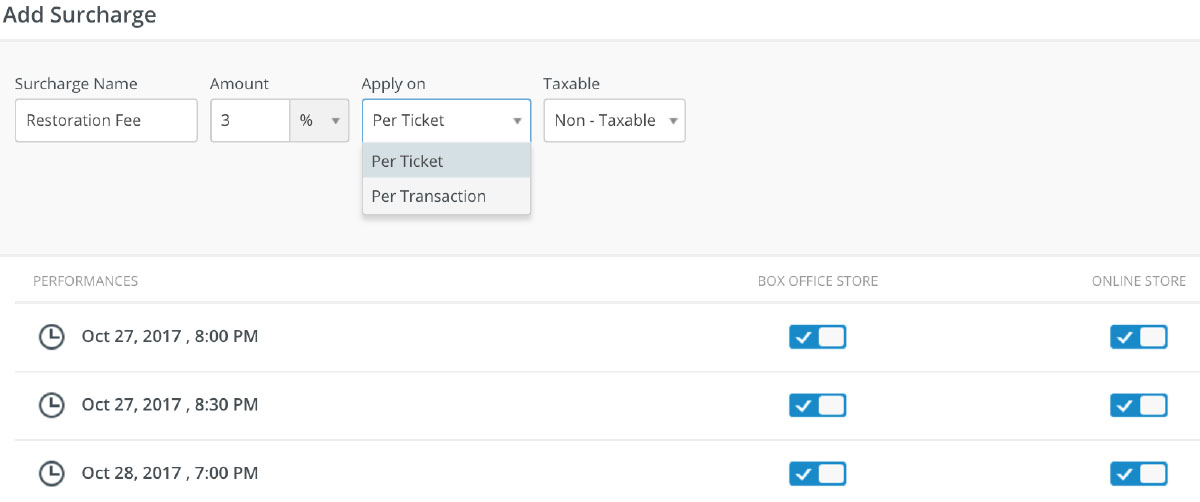
– Make surcharges taxable or nontaxable
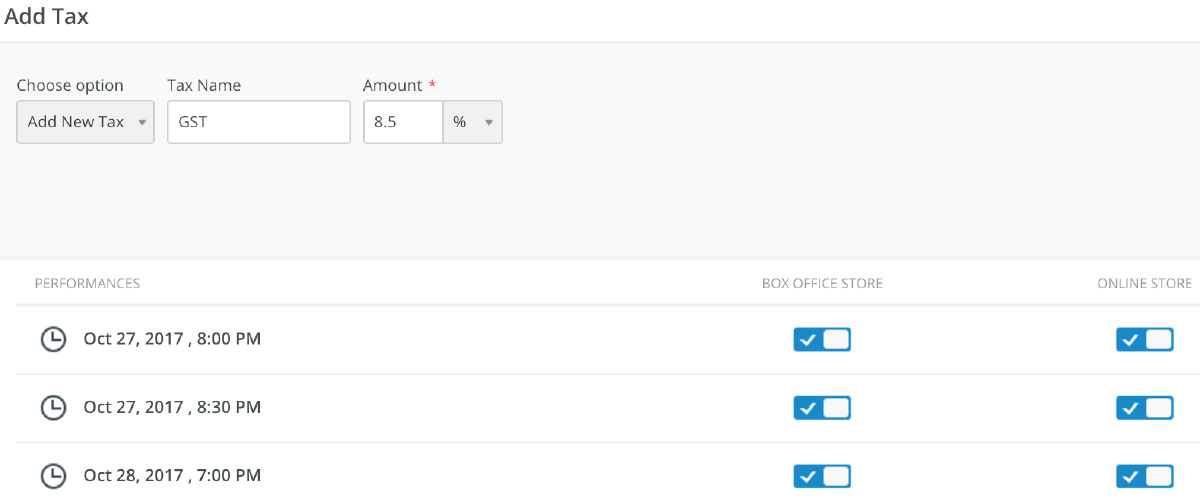
– Apply taxes on a performance-by-performance basis
– Select from a library of taxes you create or add a new tax
Log in to account and start editing an existing event to add your desired surcharges on your tickets.

Select the ‘Pricing’ tab and click on the ‘Surcharges’ option to view previously added surcharge or to add a new one.

Set the surcharge amount for every ticket or every transaction while keeping it taxable or non-taxable. It can be enabled or disabled for a particular performance accordingly.

Learn more about adding discounts for your ticket buyers.





