Premium Ticketing Features To Create Events In The COVID Era
As we enter the second half of 2020, event regulations and gatherings seem to have caught on along with the phase-wise re-opening. Needless to say, many event organizers and venue…

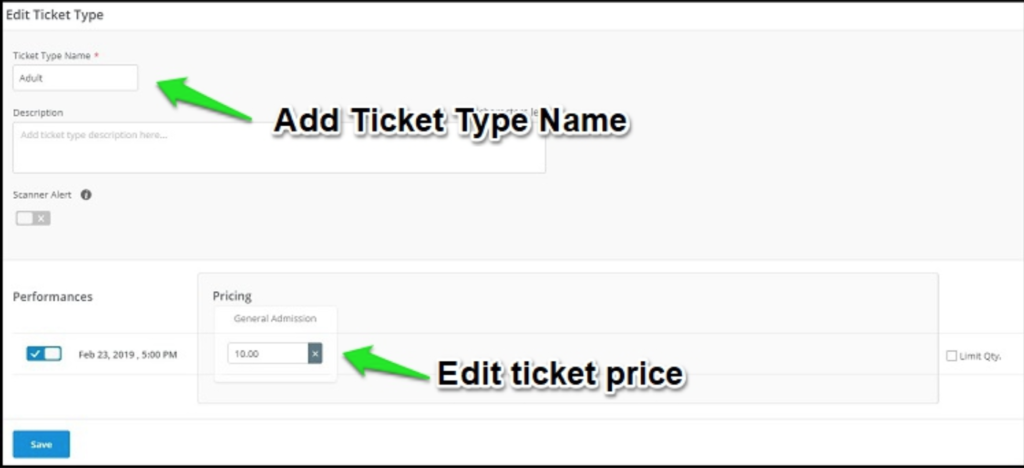
Creating multiple ticket types will satisfy diverse attendee personas looking for a premium experience. However, after starting your event ticket sale online, if in case you want to change the ticket price or update the ticket type name, you can quickly edit the ticket type.
Login to your Yapsody account and select the event name in the Box Office interface. Click on the ‘Edit’ button shown at the top right-hand side.

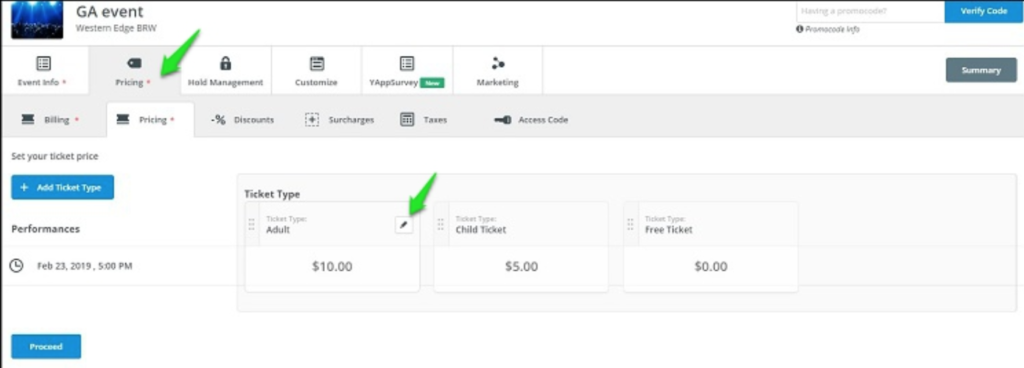
Click on the ‘Pricing’ tab in your Event Setup Wizard and hover the cursor on the ticket type name and click on the ‘pen’ icon to edit it.
Add your new name for your ticket type and the new ticket pricing.