
Premium Ticketing Features To Create Events In The COVID Era
As we enter the second half of 2020, event regulations and gatherings seem to have caught on along with the phase-wise re-opening. Needless to say, many event organizers and venue…

General Admission events are where tickets are sold online in an ‘Open For All’ manner of event entry. It creates a sense of urgency and the best seats in the house go on a first come first serve basis. These tickets are not as expensive as Reserved Seating tickets as it doesn’t have many perks attached to it and meant for a basic event experience for anyone wishing to attend it. Enable General Admission ticket types section-by-section and the performance-by-performance basis on our dashboard to create any combination for pricing.
If you’re not an event presenter with Yapsody, Sign-Up to access our dashboard where you can create your General Admission events in few simple steps mentioned below. Existing event presenters can Sign- In.

After you’ve successfully Signed Up as a Presenter, click on the “Create Event” tab that is located on the top left of our dashboard between the Account name and Search bar.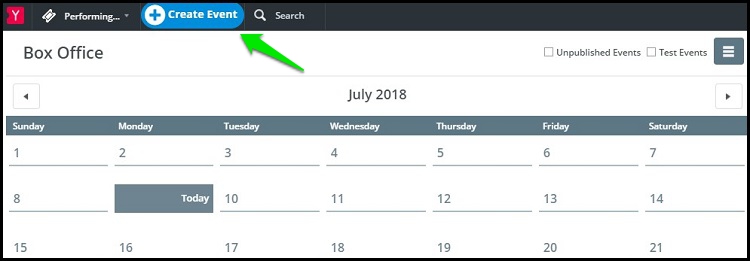
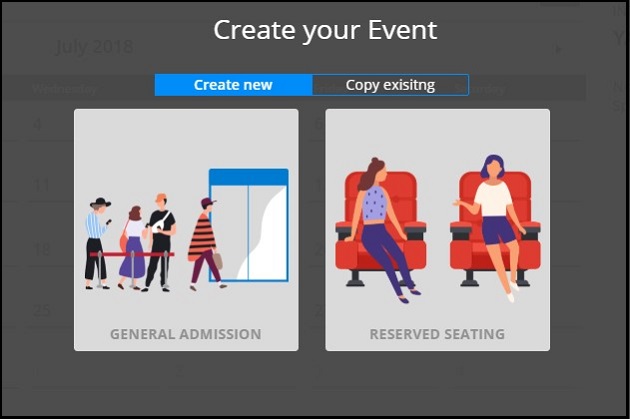
After clicking on Create Event, you can choose between General Admission and Reserved Seating. Select Copy Existing, if you’ve created events with Yapsody before and wish to replicate that format for a new event
.
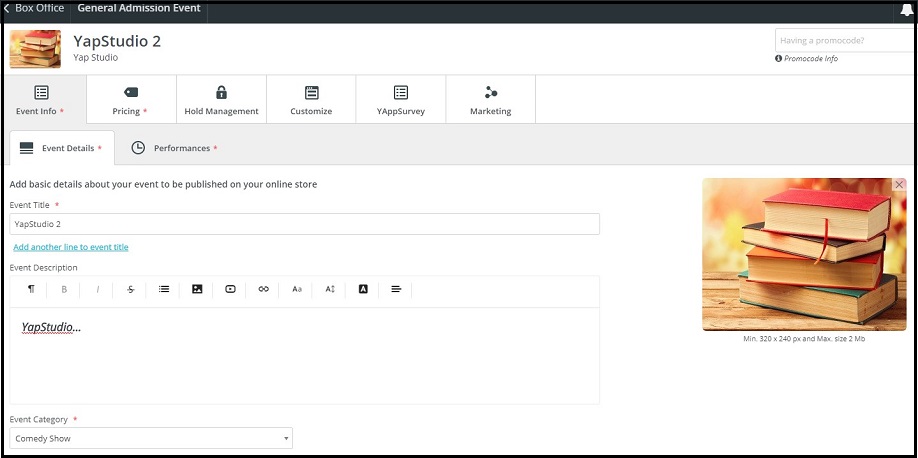
The ‘Event Info’ and the ‘Pricing’ fields are mandatory while creating an event before moving on to the next field.
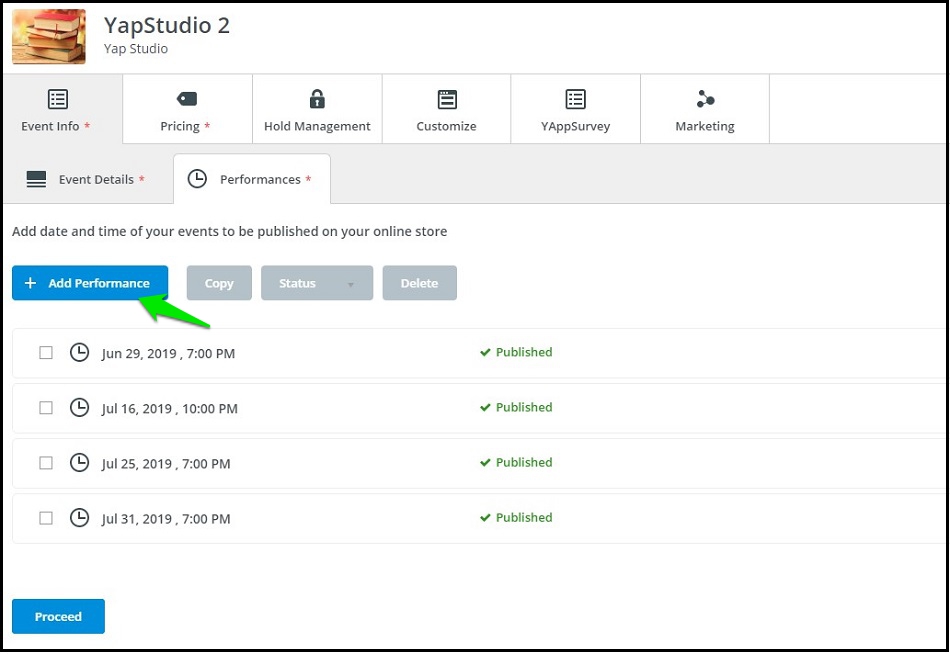
Click on ‘Add Performances’, to add single or multiple performances, which you can later cancel, unpublish or delete due if required.

Under the Pricing tab, you can set the ticket pricing by clicking on the ‘Add’ button and you can also limit the quantity of every ticket type, and have a different limit for every performance.
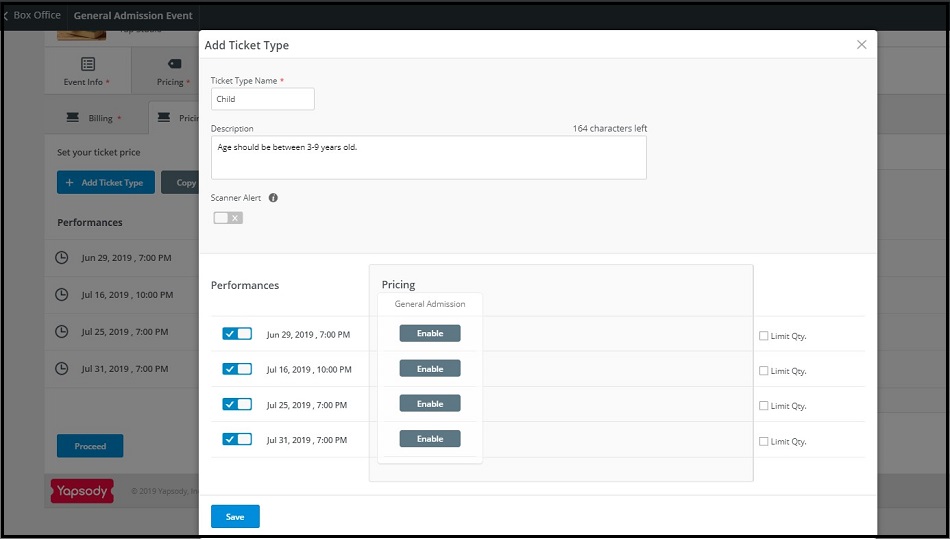
Enable ticket types on a General Admission section-by-section and performance-by-performance basis to create any combination for ultimate pricing flexibility.

Designating a quantity for each ticket type is optional. All ticket types pull from a common ticket pool, so you never exceed event capacity restrictions.
After you have finished creating the event, you can view the summary of the entire event before you Publish your Event so that you can make the changes and edit the details.
After you’ve finished creating your General Admission Event, you can selling tickets from your Online Ticket Store for multiple events.





