Premium Ticketing Features To Create Events In The COVID Era
As we enter the second half of 2020, event regulations and gatherings seem to have caught on along with the phase-wise re-opening. Needless to say, many event organizers and venue…

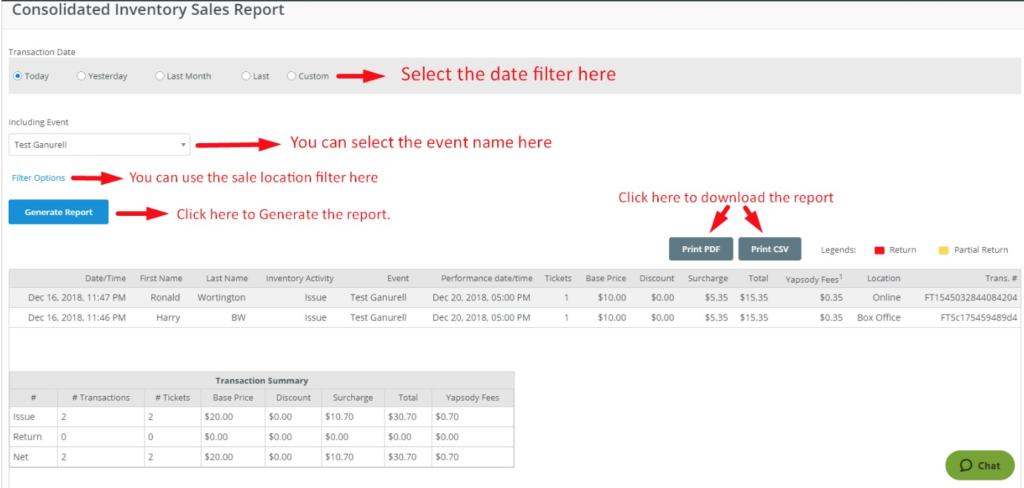
The Consolidated Sales Report provides you with the details like Customer Name, Event Name – Date, ticket count for each transaction and ticket amount paid for each transaction. This sales report lets you view transactions for a different event and different performance dates. You can also view the Yapsody fee for each paid ticket transaction.
After logging in to your Yapsody account, hover the cursor on the account name shown at the top left-hand side of the box office interface.
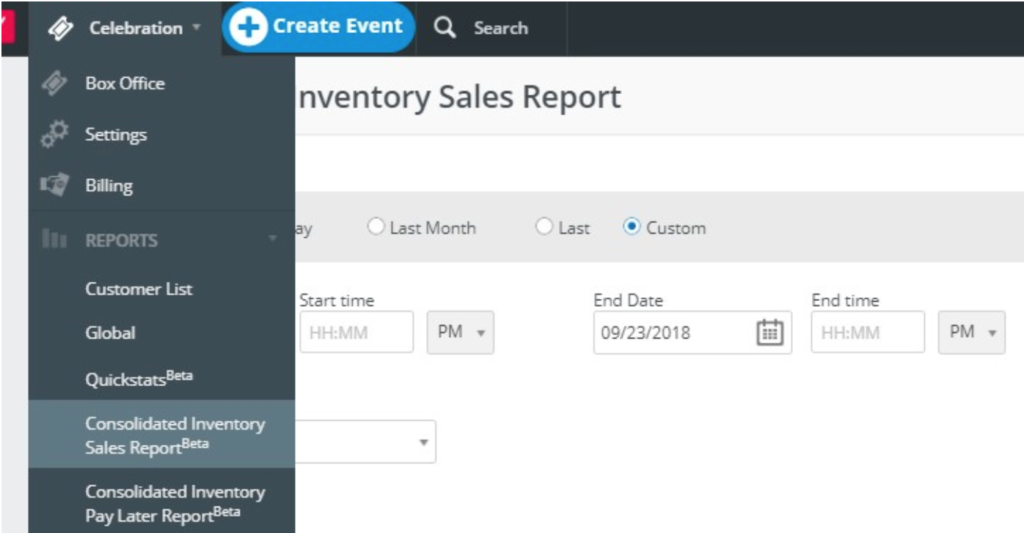
Select the required Date filter to generate the report. You can use the ‘Custom’ date filter for the sale start date and sale end date period, then click on the ‘Generate Report’ button.