Premium Ticketing Features To Create Events In The COVID Era
As we enter the second half of 2020, event regulations and gatherings seem to have caught on along with the phase-wise re-opening. Needless to say, many event organizers and venue…

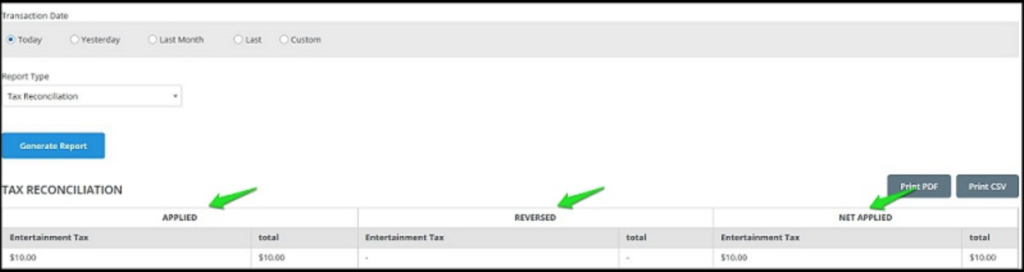
With Yapsody, you can check your detailed report on all the taxes that have been applied to your event. The detailed tax reconciliation report will give you detailed information on how much tax was first charged, the total amount of tax that was refunded and the net total of the tax applied.
Start by logging in to your Yapsody account to view the list of attendees.
After you log in, hover your mouse over your account name on the top left corner of the screen. In the drop-down menu that appears, select the ‘Global’ Report option.

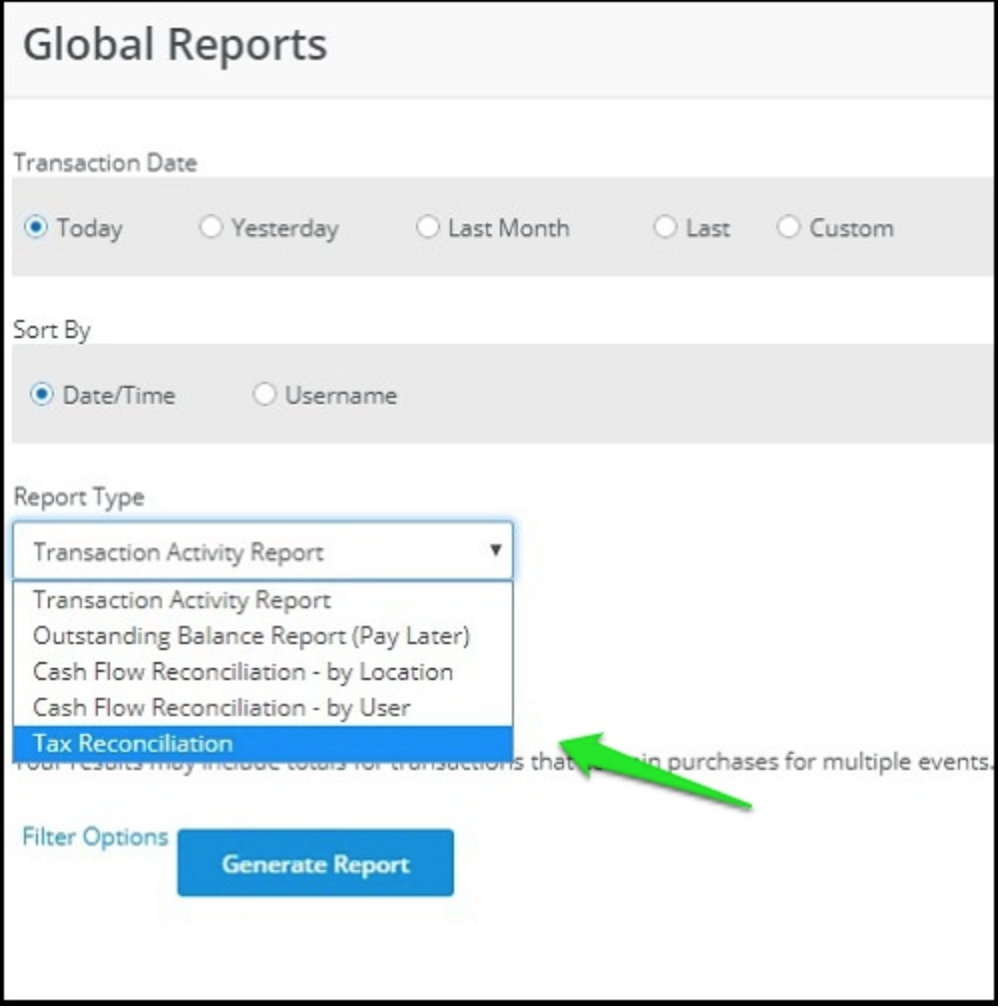
From the drop-down list, select the Tax Reconciliation option on the Global Reports page.
You will get a complete view of how much tax was first applied to each tax segment. It also gives a view of all the tax that was refunded with the tickets and the net total of the tax applied after the refunds to date.